About this template
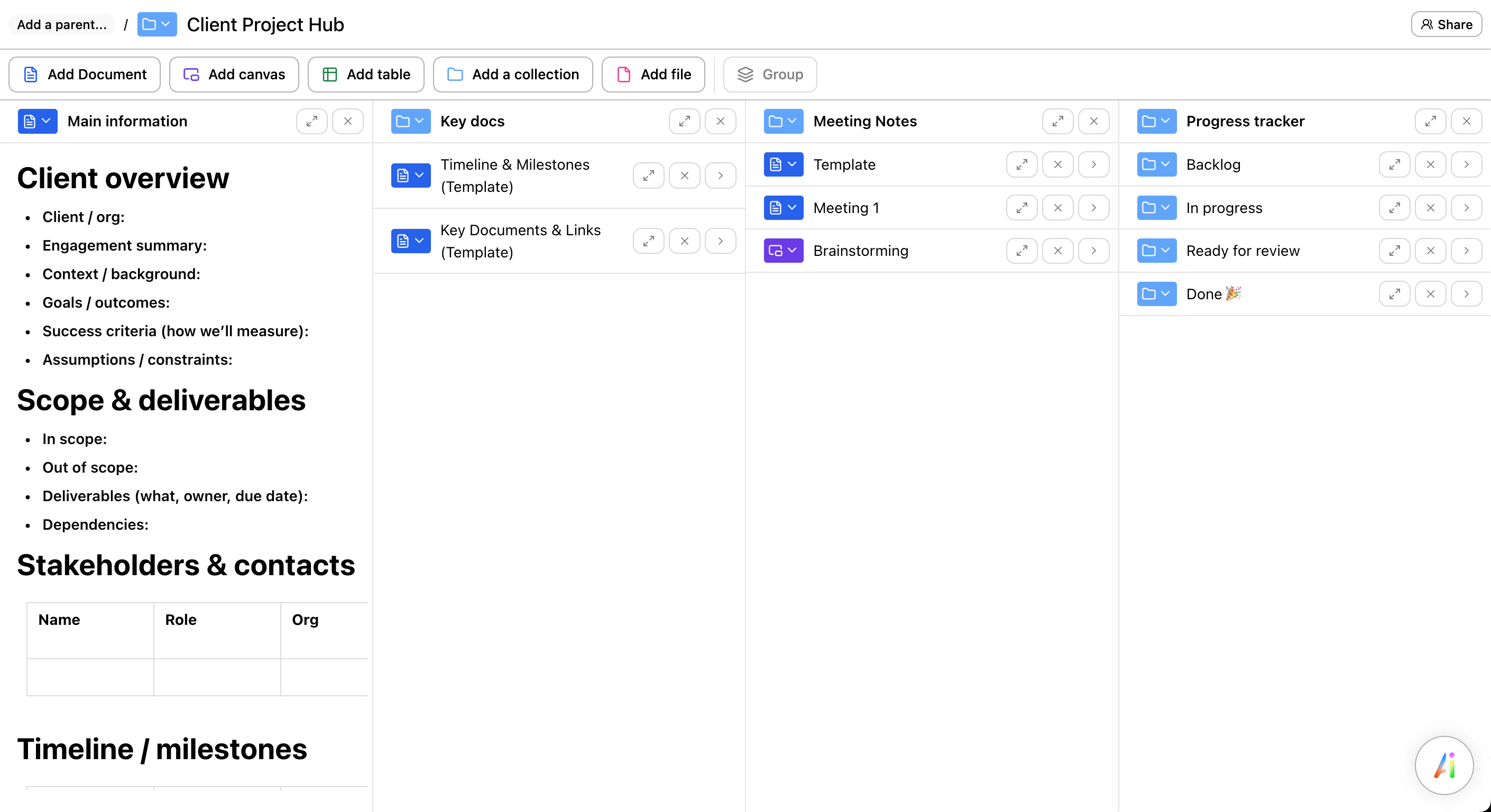
A client project hub is a single source of truth for a client engagement: goals, scope, deliverables, important links, and the running record of decisions and next steps.
Use it at kickoff, keep it updated during delivery, and hand it over at the end so nothing gets lost in inboxes and meeting notes.
What's inside
- Client overview: org, context, goals, success criteria, and constraints
- Scope & deliverables: what’s in/out, owners, due dates, and dependencies
- Stakeholders: names, roles, and contact points
- Key docs: timeline, links, files, and reference material
- Meeting notes: recurring agenda, notes, and follow-ups
- Progress tracker: backlog → in progress → ready for review → done
Who it's for
Consultants, agencies, freelancers, and internal teams who run projects with external stakeholders—and need clarity without heavy process.
How to use it (best practices)
- Start with the outcome: define success criteria and make them visible.
- Write scope in plain language: “In” and “Out” reduces churn and surprise.
- Keep links curated: one place to find the latest deck, doc, and decision.
- Capture decisions where they happen: add the decision + why, then link to the meeting note.
- Review the tracker weekly: align on priorities, owners, and dates with the client.
Looking for a Notion / Google Docs / Word client project hub template?
If you searched for a client project hub template for Notion (or Google Docs / Word), this structure works anywhere: copy the sections and adapt them to your tool. If you want something faster to fill and easier to share, you can also use this template instantly in Ununu.
FAQ
What is a client project hub?
A single place to track the essentials of a client engagement: goals, scope, links, meeting notes, decisions, and progress.
What should I include in a client hub?
Enough to keep everyone aligned: success criteria, in/out scope, deliverables with owners and due dates, key docs, and a simple tracker.
How do I keep clients aligned without more meetings?
Share this hub as the source of truth, update it after decisions, and review the tracker on a predictable cadence.