About this template
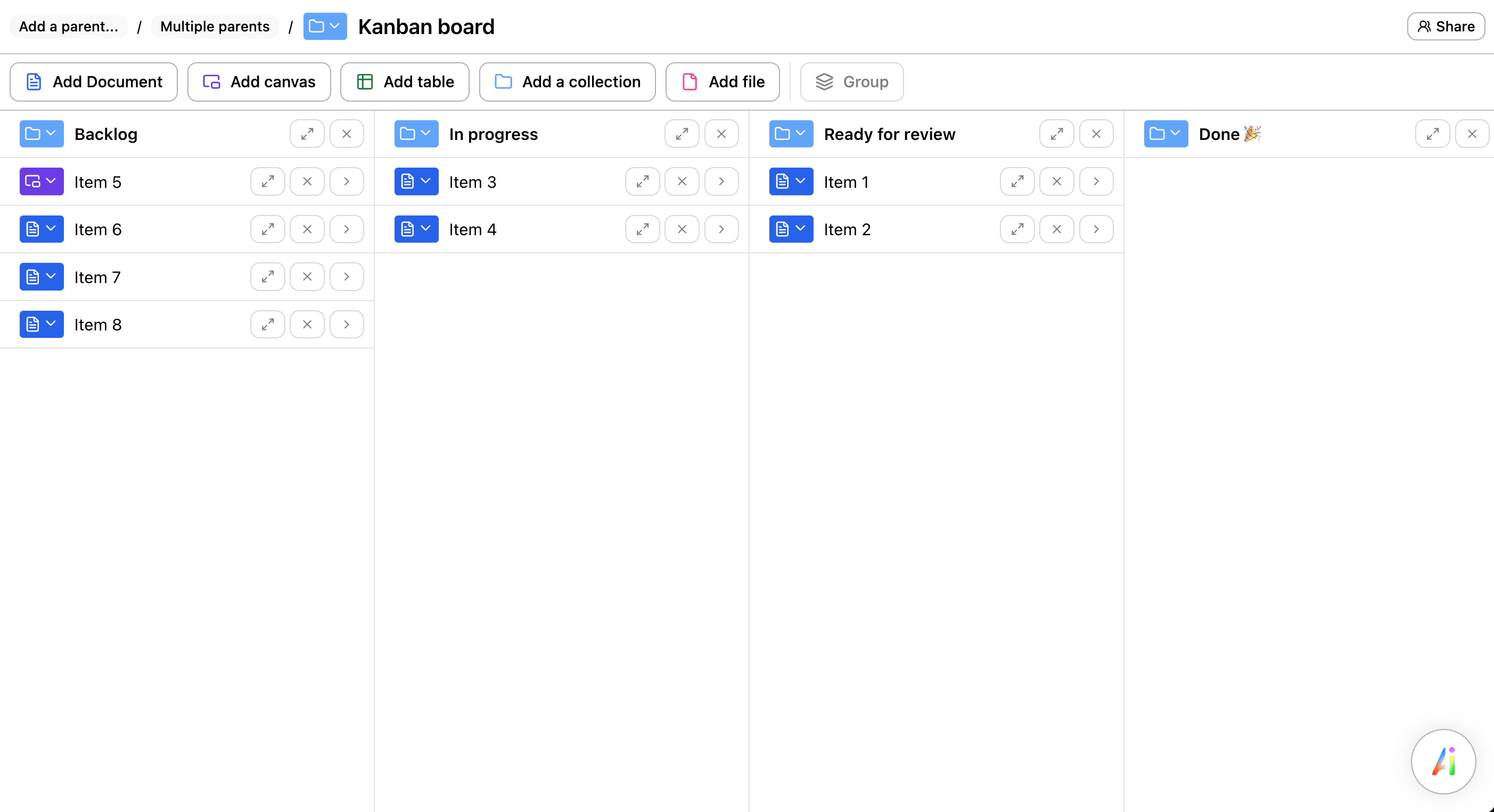
A Kanban board is a visual workflow: work moves across columns (e.g. Backlog → In progress → Review → Done). The board becomes the shared truth of what's happening and what's blocked.
This template keeps it basic on purpose: four columns, clear card titles, and just enough structure to support weekly planning and daily execution.
What's inside
- Backlog: ideas and requests waiting to be prioritized
- In progress: work currently being executed (limit WIP here)
- Review: QA, feedback, approvals, and polish
- Done: completed work (your "shipped" history)
Who it's for
Any team that wants a lightweight system for tracking tasks: product teams, agencies, freelancers, ops teams, marketing, and small engineering squads.
How to use it (best practices)
- Write small cards: each card should represent a single outcome you can finish.
- Limit WIP: cap the number of cards in “In progress” (start with 1–2 per person).
- Make blockers visible: tag blocked work and write the next action to unblock it.
- Reprioritize regularly: keep the top of the backlog clean and actionable.
- Review the flow: if “Review” piles up, fix the bottleneck, don’t start more work.
Looking for a Notion / Google Docs / Word Kanban template?
If you searched for a Kanban board template for Notion (or Google Docs / Word), the concept still applies: create columns, move cards, and keep WIP limited. If you want a fast, collaborative board, you can also use this template instantly in Ununu.
FAQ
What columns should a Kanban board have?
Start with four: Backlog, In progress, Review, Done. Add columns only when they represent a real workflow stage.
What is WIP and why does it matter?
WIP (work in progress) is unfinished work. Limiting it reduces multitasking and helps tasks reach “Done” faster.
How do we keep the board clean?
Groom the backlog weekly, archive stale cards, and make sure every in‑progress card has a clear next action.